Administrators can enable quarantine digest authentication before items in the quarantine digest can be actioned. Users will be asked to login to the console before they can Deliver, Preview, or Delete a quarantined message, helping prevent unauthorized access to quarantined content.
Users can authenticate using three methods:
-
Credentials created within the console.
-
SSO via Microsoft 365 / Azure.
-
SSO via GravityZone: GravityZone Authentication
For new customers
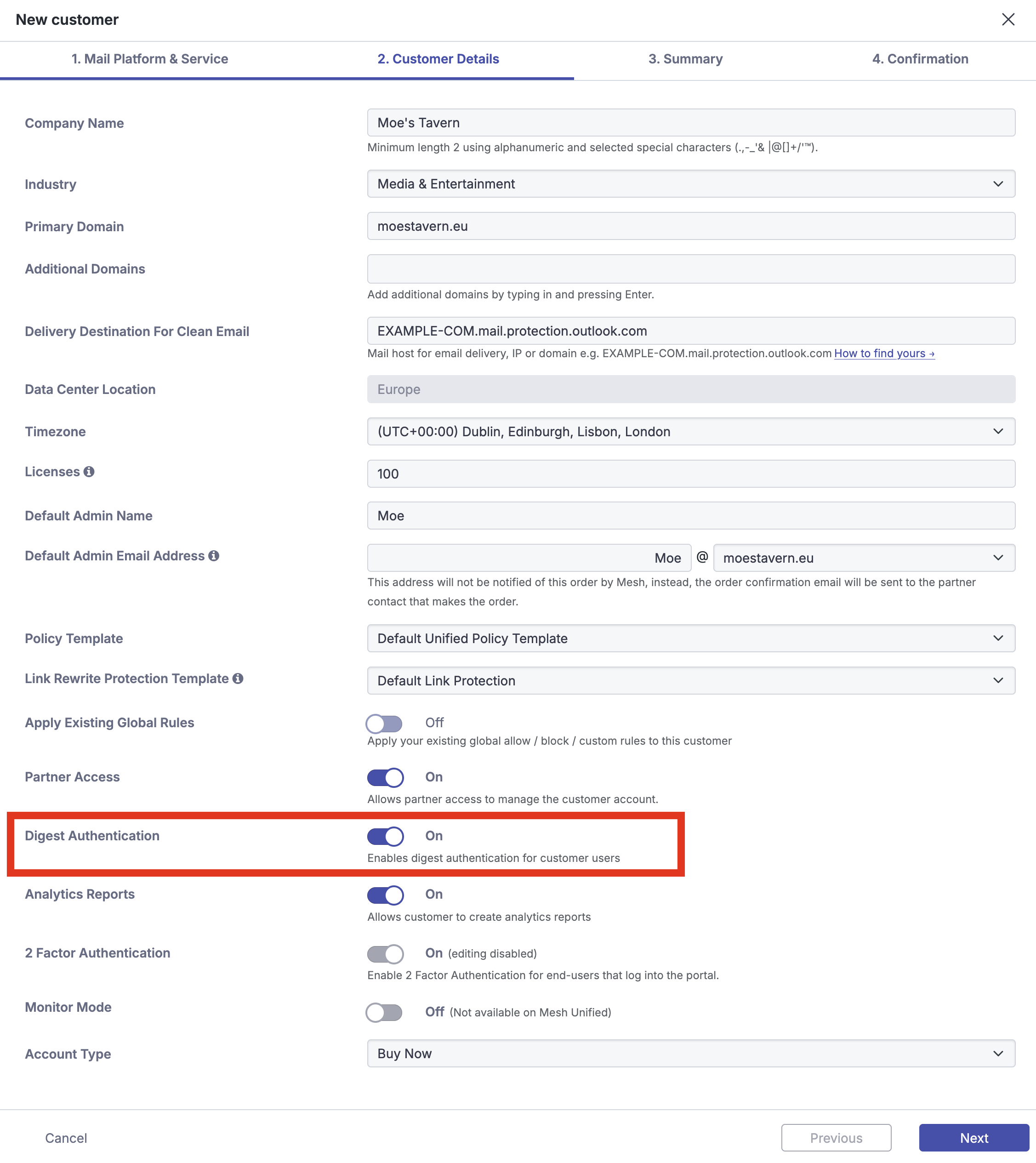
Step 1: Select Digest Authentication
In the new customer order form, click the “Digest Authentication” slider.
For existing customers
Existing customers can enable digest authentication via two methods.
Step 1a: Navigate to the Customers page
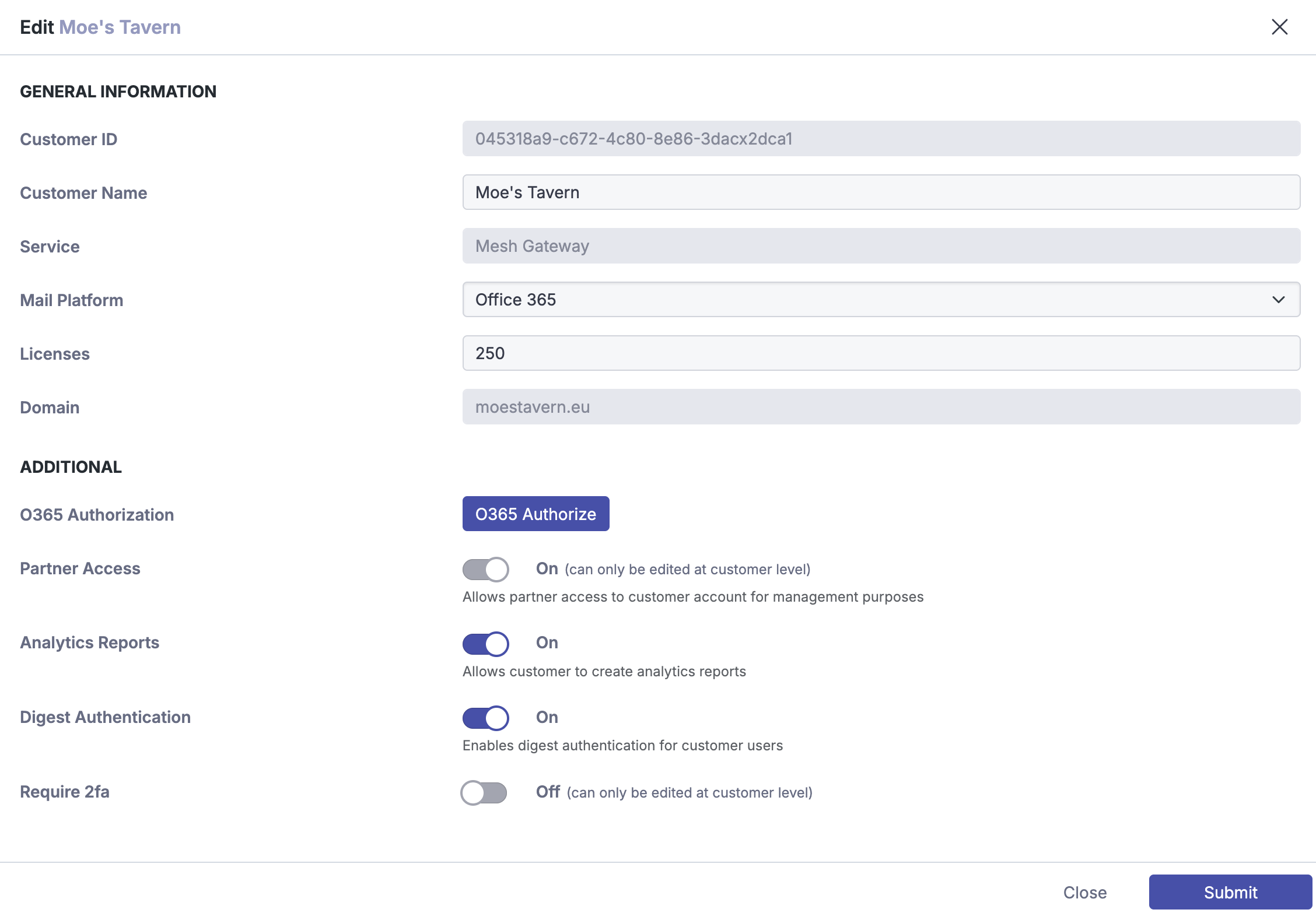
On the partner level, navigate to the “Customers” page and click the pencil icon beside the entry you want to edit.
Step 2a: Enable “Digest Authentication”
Click the “Digest Authentication” slider to enable.
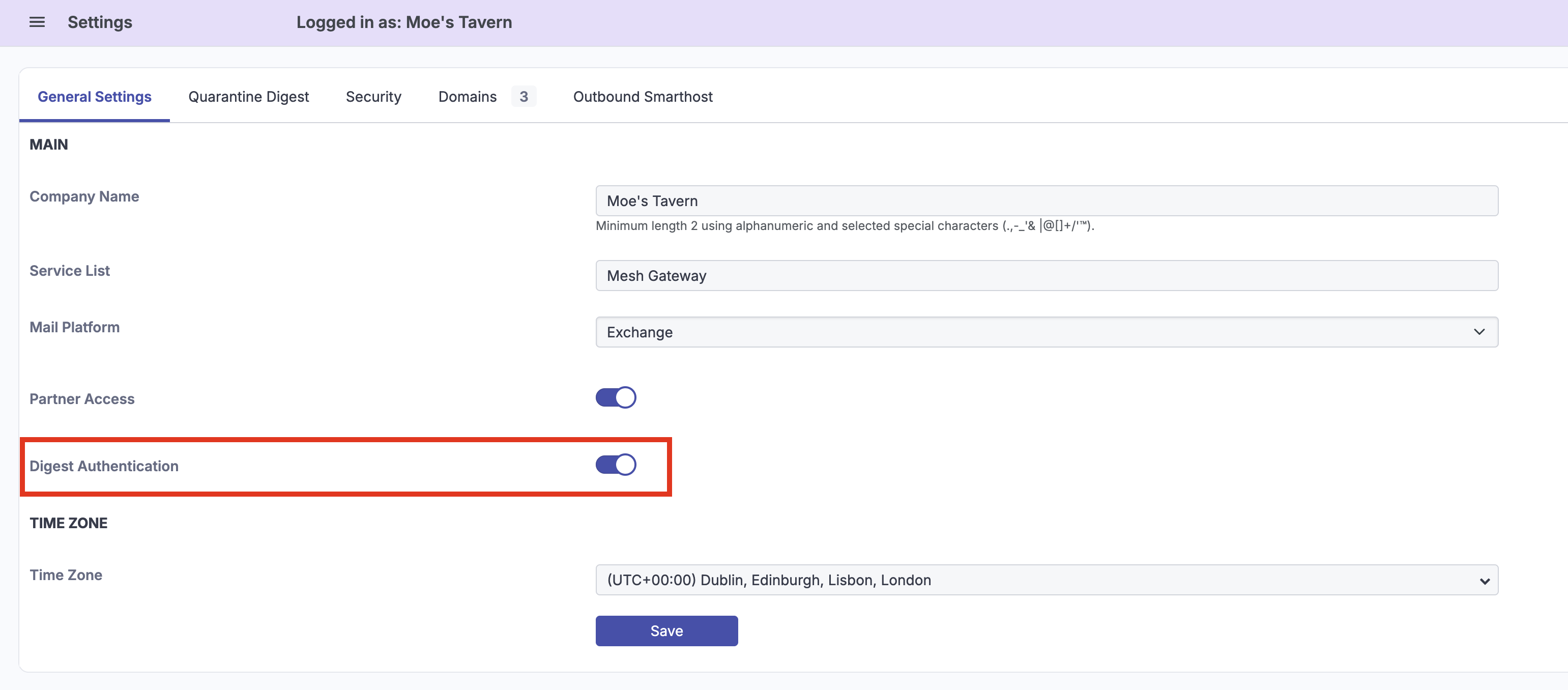
Step 1b: Navigate to Settings Page
Navigate to Settings → General Settings.
Step 2b: Enable “Digest Authentication”
Click the “Digest Authentication” slider and “Save”.