
Link Rewrite Protection allows for post delivery, real-time protection against emerging threats that were not detected as suspicious / malicious during original email scan.
URL destinations/paths will be rewritten in the following format:
EU Region:
https://clickprotect-eu.emailsecurity.app/l/v1/{token}

US Region:
https://clickprotect-us.emailsecurity.app/l/v1/{token}
Video Guide
Written Guide
Step 1: Navigate to Policy
Navigate to the Policy page.
Step 2: Link Rewrite Protection
Select the “Link Rewrite Protection” tab.
If you are on the MSP / partner level, go to step 3.
If you are on the customer level, skip to step 4.
Step 3: Create a Link Rewrite Protection Template (Partner Level)
On the partner level, you can create a Link Rewrite Protection Template, allowing you to set a baseline for the rewrite actions. This template can then be selected from the order form when creating a new customer or applied to existing customers.

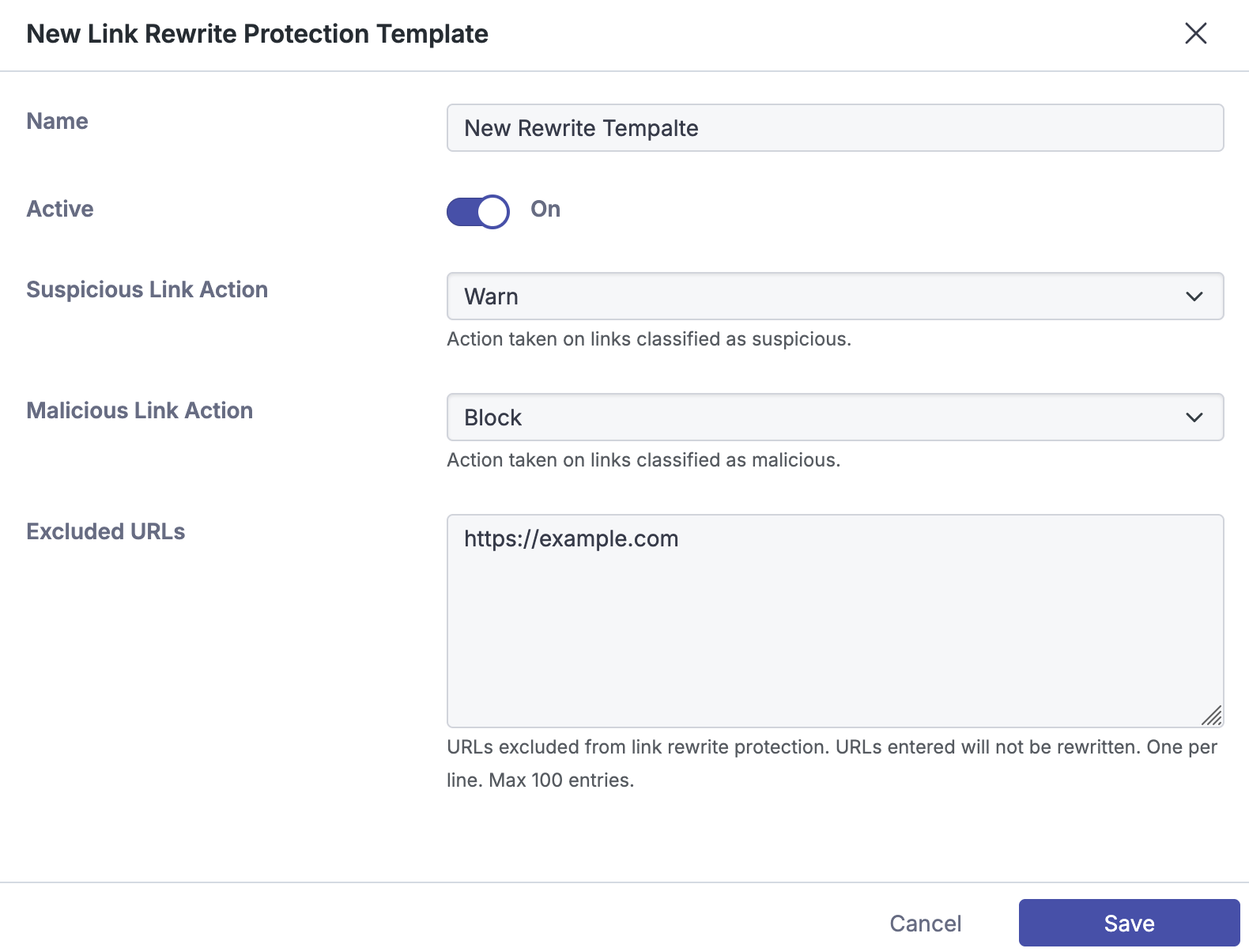
To apply a template to an existing customer, click the shield icon beside the template entry. A modal will appear prompting you to select which customers you would like to update. Select the relevant customers and click apply.
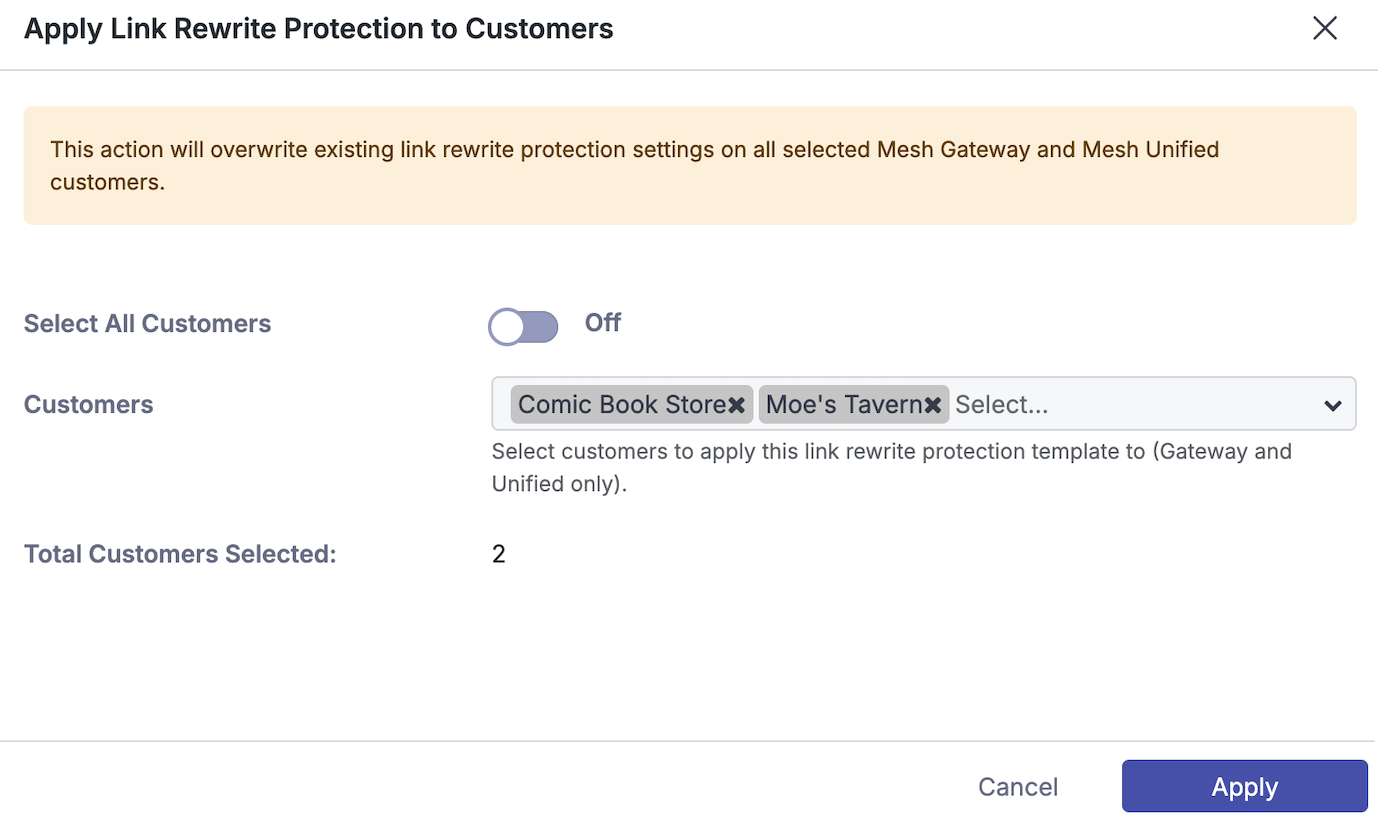
Step 4: Configure settings
Active: Toggle if the feature is active/inactive.
Suspicious Link Action: Select action taken when a suspicious link is detected.
-
Allow: Take no action.
-
Warn: Show warning page to the user before navigation to the URL.
-
Block: Show warning page to the user and blocks navigation to the URL.
Malicious Link Action: Select action taken when a malicious link is detected.
-
Allow: Take no action.
-
Warn:Show warning page to the user before navigation to the URL
-
Block: Show warning page to the user and blocks navigation to the URL
Excluded URLs:
This section allows you to exclude URLs from link rewrite protection. URLs entered here will not be rewritten. There is a max limit of 100 entries. You can enter a domain, full URL, or wildcard entry. See below examples:
example.com
https://example.com/test.php
https://example.*
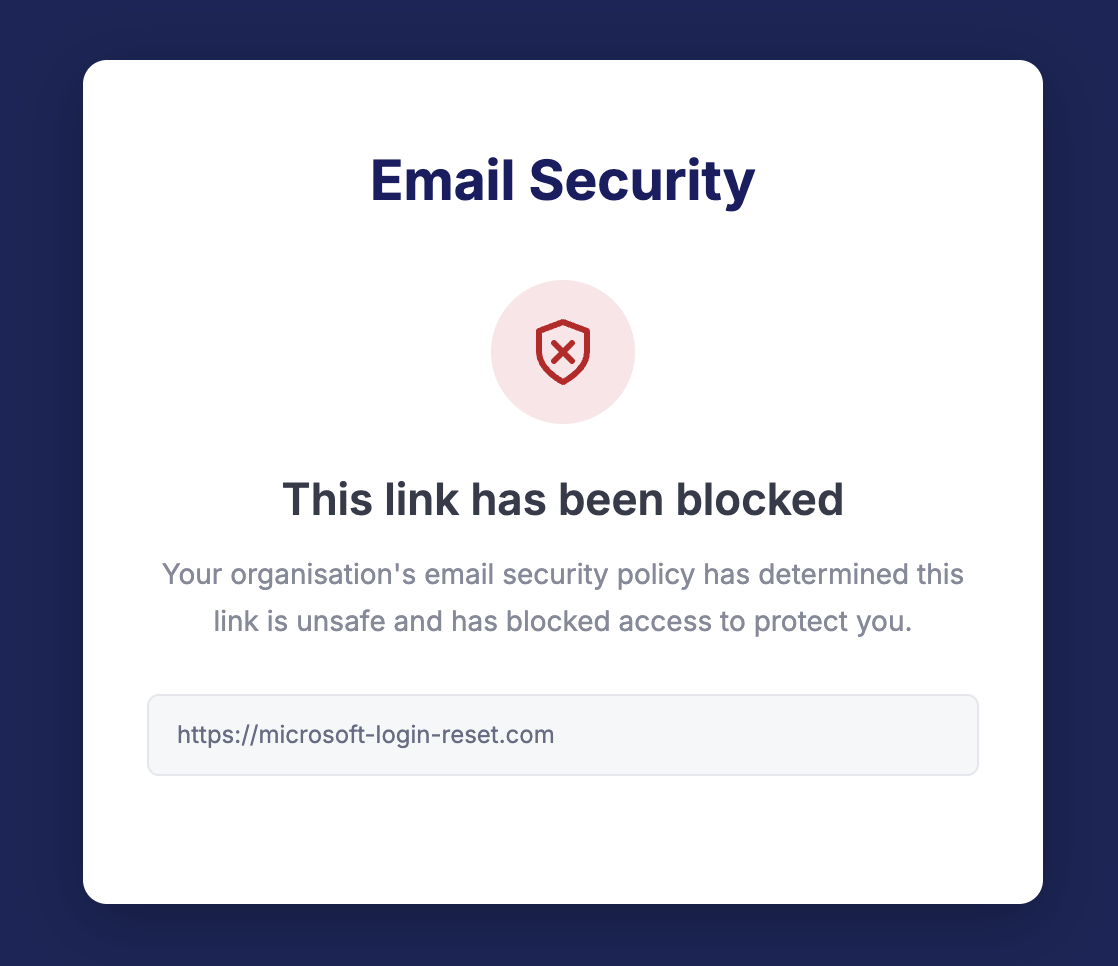
Block Action Page
The below page is shown in a user’s browser when navigating to a blocked URL. The user will not have the ability to continue to the site.
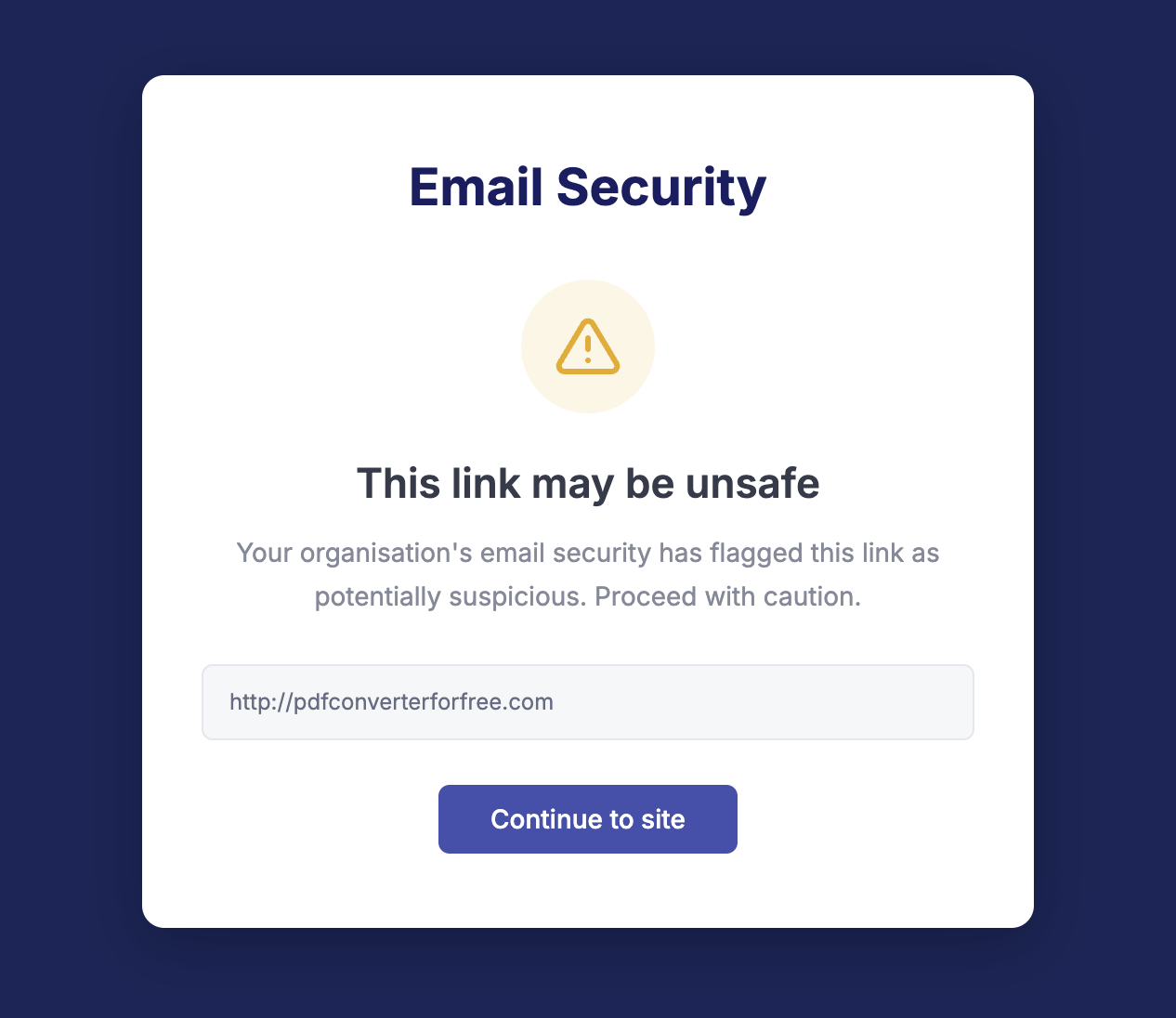
Warn Action
The below page is shown in a user’s browser when navigating to a suspicious URL. The user will receive a warning but has the ability to continue to site.