

Our reports contain different data depending if the customer is monitor mode or protect mode.
The report does not include messages rejected by the platform due to common DNS-related issues such as SPF Fails, RBL Lists, or other DNS-related issues.
Email Security Assessment - Monitor Mode (Mesh 365)
Reports generated for customers utilizing Monitor Mode contain slightly different elements than a report generated for customers that are being actively protected.
-
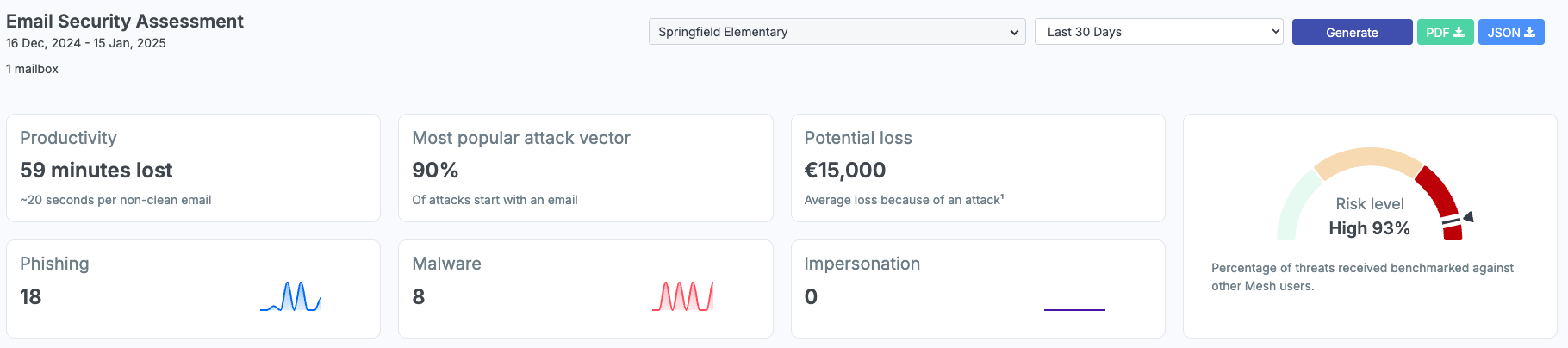
Productivity - We average ~20 seconds of attention spent per non-clean email received by end users. This statistic can be used to help demonstrate wasted time dealing with spam in their mailbox.
-
Most popular attack vector - Talking point to help explain to end customers that email is the most popular attack vector for threat actors.
-
Potential loss - Talking point to explain to end customers the average monetary loss because of an attack.
-
Risk level - Percentage of threats received benchmarked against other Mesh customers.
Executive Summary Report - Protect Mode (Mesh Gateway / Mesh 365 / Mesh Unified)
-
Productivity - We average ~20 seconds of attention spent per non-clean email received by end users. Since these emails are being filtered by Mesh, you can demonstrate time being saved by all employees.

-
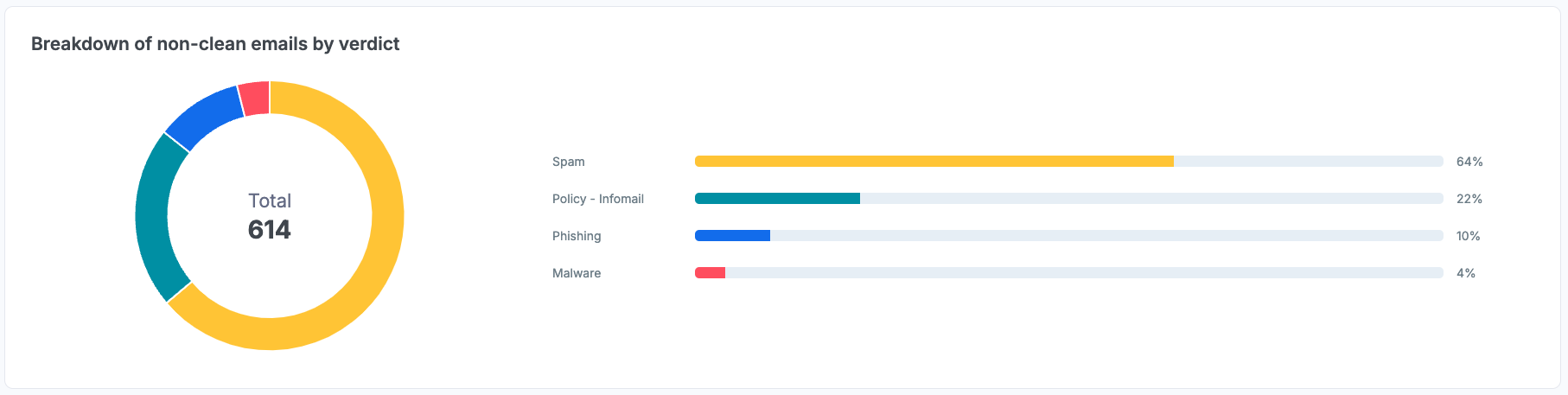
Breakdown of non-clean emails by verdict - Totals and percentages of non-clean traffic.
-
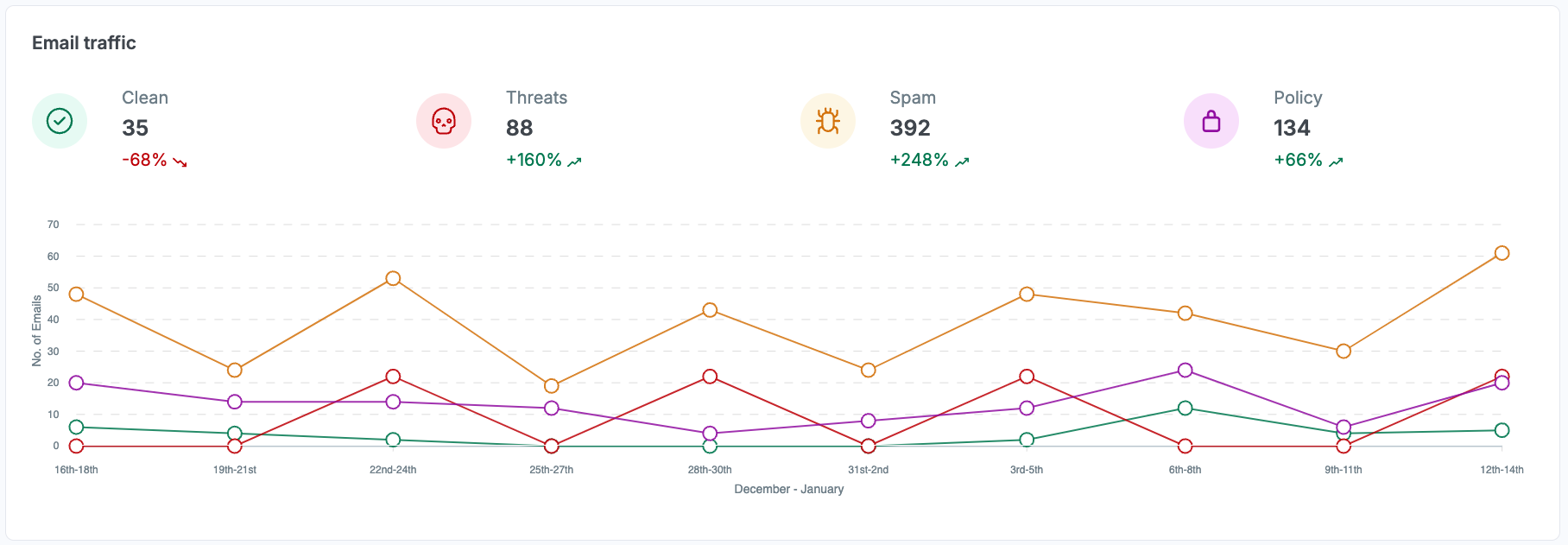
Email traffic - Timeline of traffic over a period. Each category shows the current count and a percentage change compared to the previous period.
-
Threats are Phishing, Malware, and Impersonation verdicts combined.
-
Policy is Banned and Geo-Filtered emails.
-
For more info about verdicts, see more here: Email Verdicts

-
Geo - Geographical regions / sources of email based on TLD (Top Level Domain) and IP Geo-Location.
-
Targeted mailboxes - Users/mailboxes receiving the most amount of non-clean emails. This is critical for identifying potential high-risk users who may be targeted quite frequently or should have further security measures like creating specific rules or adjusting policies.