

Advanced search lets you sort by multiple criteria which is is useful when trying to find emails that have been sent to multiple customers or you want to sort by a certain status.
Step 1:
Navigate to the "Live Email Tracker" page in the sidebar.
Step 2:
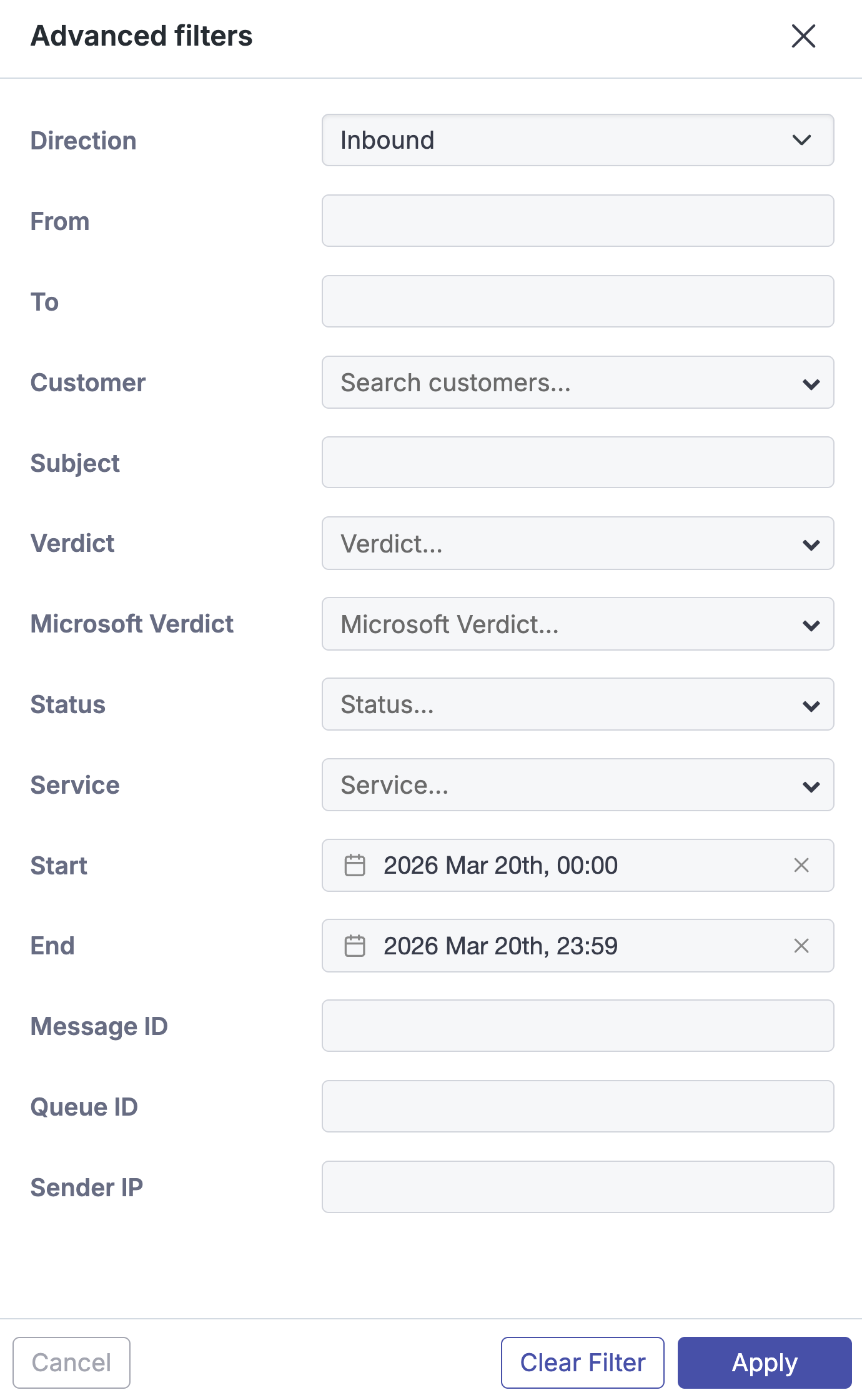
Select the “Advanced” option and select the from the list of filters.

Step 3:
Press the apply button to search button.

The following advanced search criteria are available:
-
Direction - Search inbound or outbound traffic.
-
From - Search using all or part of an email address.
-
To - Search using all or part of an email address.
-
Customer - Select one or multiple customers from the dropdown menus.
-
Subject - Specify all or part of an email subject.
-
Verdict - Select one or more verdicts from the dropdown menu.
Find out more info on categories here: Email Verdicts
-
Microsoft Verdict - Select one or more Microsoft Defender verdicts from the drop down menu.
-
Status - Select one or more statuses from the dropdown menu
Find out more info on statuses here: Email Statuses
-
Service - Select one or more services from the dropdown menu.
-
Start/End - Select date and time to limit results to a specific
range. -
Message ID - Search using the Message ID.
-
Sender IP - Search the Sender's IP address.