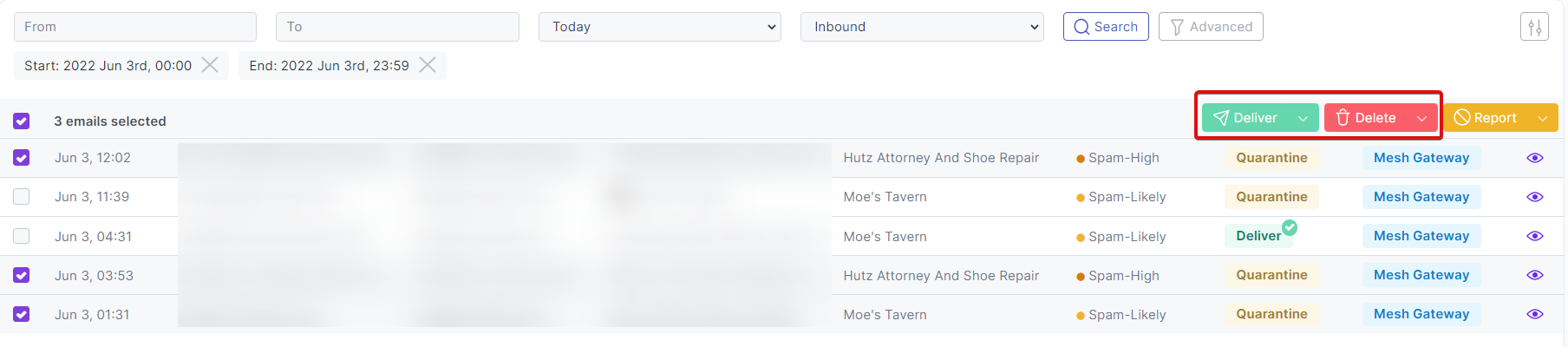

Emails that have been quarantined can be delivered or deleted directly from the Live Email Tracker.
Deliver/Deleting a single email
To deliver or delete a single email, please perform the following:
Step 1:
Navigate to the "Live Email Tracker" page in the sidebar.
Step 2:
Locate the email you wish to Deliver or Delete.
Step 3a:
Click the checkbox located in the leftmost column of the Live Email Tracker.
Step 3b:
Click the "eye" icon located on the rightmost column of the Live Email Tracker to preview the email. This will open a popup window showing more details.
Step 4:
Select one of the options outlined in the "Deliver" section or "Delete" section of the documentation.

Deliver/Deleting multiple emails
To deliver or delete multiple emails, please perform the following:
Step 1:
Navigate to the "Live Email Tracker" page in the sidebar.
Step 2:
Locate the emails you wish to Deliver or Delete.
Step 3:
Click the checkboxes of the relevant emails located in the leftmost column of the Live Email Tracker.
Step 4:
Select one of the options outlined in the "Deliver" section or "Delete" section of the documentation.